


Honeygain is often promoted as one of the easiest side hustle and online income source for students in the United States because it allows you to earn money by simply sharing your unused internet bandwidth basically, you install the app and it runs in the background without needing daily effort, this makes it attractive for students who want passive income alongside studies but it’s important to understand both its advantages and realistic earning potential because while it is legit and works as promised, it is more of a small passive income source rather than a high-paying side hustle.
Honeygain is best for students because it’s easy, passive and risk free to start but it should be treated as a side income (pocket money) not a main earning source.
100% Passive Income (No Work Needed)
- Once you install the app, it runs automatically in the background and shares unused internet without interrupting your normal usage.
- This means you can earn money while studying, sleeping or doing other work without any active effort.
Very Easy to Start (Beginner Friendly)
- You don’t need any skills, experience or investment just sign up, install and keep your device connected to the internet.
- Even non-technical students can start earning within minutes, making it one of the simplest online income options.
Works on Multiple Devices
- You can run it on laptops, phones or multiple devices to increase your earnings gradually over time.
- More devices and stable internet connections can help you reach payouts faster.
Safe & Legit Platform
- Honeygain is a legitimate app used worldwide and many users confirm receiving real payouts through PayPal or crypto.
- It operates under privacy regulations and does not access personal files or messages.
Perfect for Extra Pocket Money
- It’s ideal for students who want a small extra income without affecting studies or daily routine.
- Since it requires zero effort after setup, it works well as a secondary income stream.
- Most users earn around $1 to $10 per month with a single device and normal usage.
- With better internet and multiple devices, earnings can reach $5 to $30 per month.
- It is NOT a full-time income source it’s more like small passive earnings.
- Earnings depend heavily on your location, internet demand and uptime.
Create Honeygain Account on your mobile phone
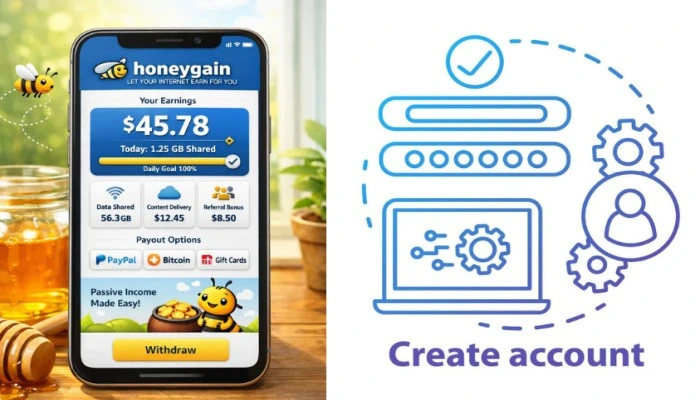
Creating an account on Honeygain using your mobile phone is very simple and takes just a few minutes. Once set up the app runs in the background and starts generating small passive income by sharing your unused internet data. This is the reason that why honeygain is the best side hustle and online income source for students. Honeygain is one of the easiest apps to start earning online but remember it gives you a slow passive income, not fast money. It works best when used along with other earning methods. Here’s the complete step-by-step process :
Step1. Download the Honeygain App
- Open Google Play Store (Android) or visit the official Honeygain website
- Search for “Honeygain” and install the app
- Make sure you download the official app only
- Always use official source like website, to stay safe
Step2. Open the App & Sign Up
- After installing, open the Honeygain app
- Click on “Sign Up” option
- Enter your email address and create a password
- Use a valid email for verification and payments
Step3. Verify Your Email
- Check your email inbox
- Click on the verification link sent by Honeygain
- Your account will be activated
- Without verification, earnings won’t start
Step4. Log In to Your Account
- Go back to the app
- Enter your email and password
- Login successfully
- Now your dashboard will be visible
Step5. Start Sharing Internet & Earning
- Turn on the “Start Earning” option in the app
- Keep your internet connected (WiFi recommended)
- The app will run in the background and start earning
- No daily work needed after this
Step1. Download the Honeygain App
- Open Google Play Store (Android) or visit the official Honeygain website
- Search for “Honeygain” and install the app
- Make sure you download the official app only
- Always use official source like website, to stay safe
Step2. Open the App & Sign Up
- After installing, open the Honeygain app
- Click on “Sign Up” option
- Enter your email address and create a password
- Use a valid email for verification and payments
Step3. Verify Your Email
- Check your email inbox
- Click on the verification link sent by Honeygain
- Your account will be activated
- Without verification, earnings won’t start
Step4. Log In to Your Account
- Go back to the app
- Enter your email and password
- Login successfully
- Now your dashboard will be visible
Step5. Start Sharing Internet & Earning
- Turn on the “Start Earning” option in the app
- Keep your internet connected (WiFi recommended)
- The app will run in the background and start earning
- No daily work needed after this
Payout Process of Honeygain

The payout process of Honeygain is simple but requires patience because your earnings grow slowly over time as you share your unused internet bandwidth in the background, unlike active income apps, you don’t get paid daily or instantly, instead you collect credits little by little until you reach the minimum payout threshold and only after that you can request your payment which is then processed and sent to your selected method like PayPal or crypto and many beginners get confused or frustrated because they expect fast payouts but once you understand how the system works earning credits, converting them into dollars and requesting withdrawal the entire process becomes very clear and easy to follow, making it a smooth passive income experience.
Earn Credits Continuously
- Honeygain gives you credits for sharing internet data and 10,000 credits meas $10 dollar.
- The more your app runs and shares data, the more credits you accumulate over time.
Reach Minimum Payout Threshold
- You need at least $20 dollar (20,000 credits) to withdraw your earnings.
- Before reaching this limit, the payout option will remain locked in your dashboard.
Choose Your Payment Method
- You can select between PayPal (cash payout) or JumpToken (crypto payout).
- Most beginners prefer PayPal because it is simple and easy to use.
Request Payout from Dashboard
- Once you reach $20 dollar, click on “Request Payout” in your Honeygain dashboard.
- Enter the verification code sent to your email for security confirmation.
Complete Payment Details
- For PayPal : enter your correct PayPal email and complete verification if required.
- For crypto : add your wallet address carefully to avoid errors.
Wait for Processing Time
- PayPal payouts usually take 2 to 3 business days to process.
- Crypto payouts are generally faster and may be processed quicker.
Receive Your Payment
- After processing, your money will be transferred to your PayPal account or crypto wallet.
- You will also receive a confirmation email once the payout is completed.
Honeygain vs PacketStream for students
When comparing Honeygain and PacketStream, both platforms operate on a similar concept of earning passive income by sharing your unused internet bandwidth but for most US students, Honeygain tends to be a better overall choice because it offers a more beginner-friendly experience, additional earning opportunities beyond just bandwidth sharing, and a smoother, more reliable app performance which is especially important for students who want a “set it and forget it” type of side hustle while PacketStream focuses mainly on selling your bandwidth as a proxy service with limited features, Honeygain expands the earning model by adding bonuses, referral income and a more engaging dashboard, making it feel less technical and more accessible and although the base earning rate of both platforms is quite similar, Honeygain often provides slightly better overall returns due to these extra features and its larger network demand, which can result in more consistent usage of your connection and for students who are new to online earning and prefer simplicity, flexibility and a bit more earning potential without additional effort, Honeygain becomes the more practical and comfortable option compared to PacketStream.
Multiple Earning Features
- Honeygain provides extra earning options like daily bonuses, referral programs and occasional rewards which help increase total income beyond basic bandwidth sharing.
- PacketStream mainly depends on bandwidth usage only, so earning opportunities are more limited and less flexible.
Better User Experience & Interface
- Honeygain has a clean, easy for use mobile app and dashboard, making it simple for beginners to understand and track earnings.
- PacketStream is more technical and less user-friendly, which can be confusing for new users.
More Payment Options
- Honeygain supports PayPal as well as cryptocurrency payouts, giving users more flexibility in how they receive earnings.
- PacketStream mostly offers PayPal, limiting payment choices for users who prefer other options.
Larger Network Demand
- Honeygain operates on a wider global network, increasing the chances of consistent bandwidth usage.
- PacketStream demand can vary more depending on location which may reduce earning consistency, this is why honeygain is the best side hustle and online income source for students.
Mistakes you have to Avoid in Honeygain
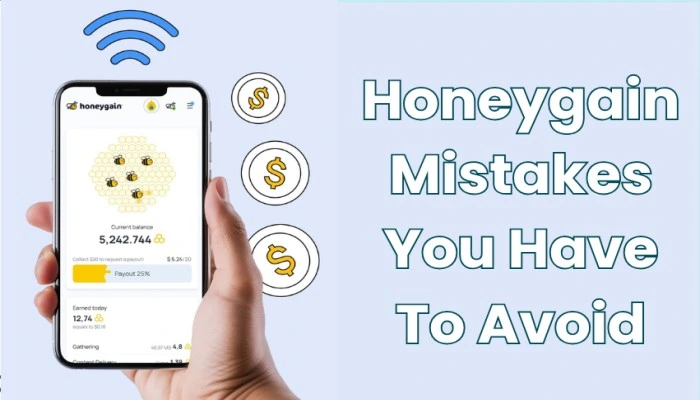
Using Honeygain can be super easy but many users make small mistakes that reduce earnings or even risk their account getting blocked. Since Honeygain is a passive income app, your main goal should be to maximize uptime and stay within rules, because even minor mistakes can slow down your earnings significantly. If you avoid these common errors, you can get the best possible results from it.
Using Mobile Data Instead of WiFi
- Running Honeygain on mobile data can consume your data quickly, leading to extra charges from your network provider.
- It’s always better to use a stable WiFi connection so you can run the app continuously without worrying about cost.
Using VPN or Proxy is a Big Mistake
- Honeygain does not allow VPN usage and using it can reduce your earnings or even lead to account suspension.
- Always use your real IP address to keep your account safe and maintain consistent earnings.
Running Too Many Devices on Same Network
- Adding multiple devices on the same IP does not always increase earnings and may even reduce efficiency.
- It’s better to use different networks or limited devices per IP for optimal performance.
Not Keeping the App Active
- If the app is not running in the background or gets closed, your earnings will stop completely.
- Make sure battery optimization settings don’t restrict the app so it can run continuously.
Expecting High Income Too Fast
- Many users expect to earn large amounts quickly but Honeygain provides only small passive income.
- It requires patience and earnings grow slowly over time depending on usage and demand.
Ignoring Referral Program
- The referral program is one of the easiest ways to increase earnings without extra effort.
- Not using it means missing out on additional passive income opportunities.
Using Poor Internet Connection
- Slow or unstable internet reduces data sharing which directly lowers your earnings.
- A fast and stable connection helps maximize your income potential.