


If you are searching for how to create e-commerce website so you are in right place. In 2026, the smartest ways to build a long-term online income because it gives you full control over your business, branding and profits. Unlike selling on marketplaces your own website lets you keep all customer data and avoid high commissions which increases your earnings over time. With platforms like Shopify and WooCommerce, starting an online store has become simple even for beginners. Having your own domain and hosting makes your business look professional and trustworthy which helps in converting visitors into customers. It also allows you to optimize your website for Google Search and get free organic traffic regularly. Over time, your website becomes a valuable digital asset that you fully own and can scale without any restrictions. This independence will combined with multiple income opportunities, makes an e-commerce website one of the best long-term earning options today.
Buying a domain and hosting is the first real step to launching your website because this is what makes your site live on the internet. Your domain is your website’s name like yourstore.com and hosting is the server where all your website data is stored. Choosing the right domain and hosting provider is very important because it affects your website speed, security and performance which also impacts ranking on Google Search. A fast and reliable website builds trust and improves user experience, especially for e-commerce stores. In 2026, many platforms have made this process simple so even beginners can buy and set up everything within minutes if they follow the right steps.
- Choose a Perfect Domain Name
- Keep it short, simple and easy to remember
- Use keywords related to your business
- Avoid numbers and special characters
- Prefer .com (global) or .in (India-based audience)
- Buy Domain from Trusted Providers
- Popular options GoDaddy and Namecheap
- Search your domain name and check availability
- Purchase it for at least 1 year (my personal suggestion)
- Choose a Reliable Hosting Provider
- Hosting stores your website files
- Good hosting give you faster speed and better uptime
- Hostinger and Bluehost are my favourite
- Start with shared hosting because it’s best for beginners (low cost)
- Connect Domain with Hosting
- Update nameservers in domain settings
- Link domain to your hosting account
- Don’t worry, most providers give step by step guide
- Enable SSL Certificate
- Makes your website is secure with (https://)
- Builds trust and improves ranking on Google Search
- Install Website Platform
- Install WordPress with 1 click setup
- Use Elementor plug-in for fast drag and drop service
- Start building your website or store
Design Your E-commerce Website

Designing your e-commerce website is where your store starts to feel real and it directly impacts whether visitors trust you and actually buy. A crucial factor regarding the ecommerce website is ensuring that its design is executed to the highest possible standard, a process that also requires a considerable amount of time. A clean, fast and user-friendly design makes shopping easy and enjoyable while a cluttered or slow site can kill sales instantly. In 2026, customers expect smooth navigation, mobile-friendly layouts and professional visuals. Whether you’re using Shopify or WooCommerce the goal is the same, create a store that looks trustworthy, loads fast and guides users smoothly from browsing to checkout.
- Choose a Clean & Professional Theme
- Select a simple, modern theme (free or paid)
- Avoid too many colors or flashy designs
- Make sure that it is mobile-friendly
- Design a Strong Homepage
- Add a clear banner, mention your main product and offer
- Highlight best-selling or trending products
- Show categories for easy navigation
- Add trust elements (reviews, offers, guarantees)
- Organize Product Categories
- Create clear categories (Men, Women, Electronics)
- Keep navigation simple and easy
- Avoid too many categories at the start
- Create High-Converting Product Pages
- Use high-quality product images
- Write clear and benefit-focused descriptions
- Show price, discount and stock availability
- Add Buy Now & Add to Cart buttons clearly
- Optimize Website Speed
- Compress images, don’t upload heavy files
- Webp format images are best option, I personally recommended
- Use fast hosting, speed affects ranking on Google Search
- Add Important Pages
- About Us, Contact Us, Privacy Policy and Terms & Conditions
- Builds trust and helps in approval processes
Read More To Know : How To Create E-Commerce Website and Sell Products
Add Products to Your Store
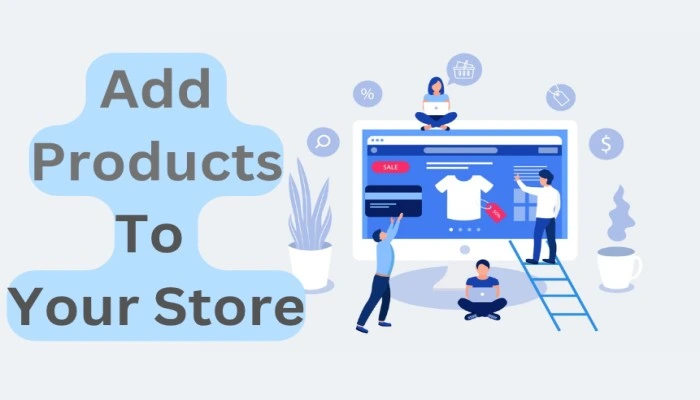
Adding products to your store is the most crucial part of building a successful e-commerce website because this is what directly influences your sales. A good structured product listing not only informs customers but also convinces them to buy by highlighting benefits, quality and value. In 2026, customers are very smart they compare products, read descriptions and check images before making any decision. That’s why your product page should look professional, detailed and trustworthy. Whether you are using Shopify or WooCommerce the way you present your products matters more than the product itself. High-quality images, clear pricing and proper descriptions can significantly increase your conversion rate. Also, optimizing your product pages for Google Search helps you get free traffic and more customers. So instead of just uploading products, focus on creating a complete buying experience for your visitors.
- Write Detailed Product Titles and Descriptions
- Use clear and keyword-rich product titles
- Explain features, benefits, and usage in simple language
- Focus on solving customer problems, not just describing the product
- Use bullet points to make content easy to read
- Use High-Quality Product Images
- Upload HD images from multiple angles
- Show product in real-life usage if possible
- Avoid blurry and copied images
- Good visuals build trust and increase sales
- Set Smart Pricing Strategy
- Add original price and discounted price
- Use psychological pricing ₹999 is better than ₹1000
- Keep pricing competitive with market trends
- Highlight offers to attract users and buyers
- Manage Inventory Properly
- Add stock quantity for each product
- Enable out of stock alerts carefully
- Prevent overselling or customer dissatisfaction
- Add Accurate Shipping Details
- Mention delivery charges or free shipping
- Add product weight and size if needed
- Clearly show delivery time to customers
- Optimize Product Pages for SEO
- Use keywords naturally in title and description
- Helps your products rank on Google Search
- More visibility give you more traffic and sales
Setup Payment Gateway
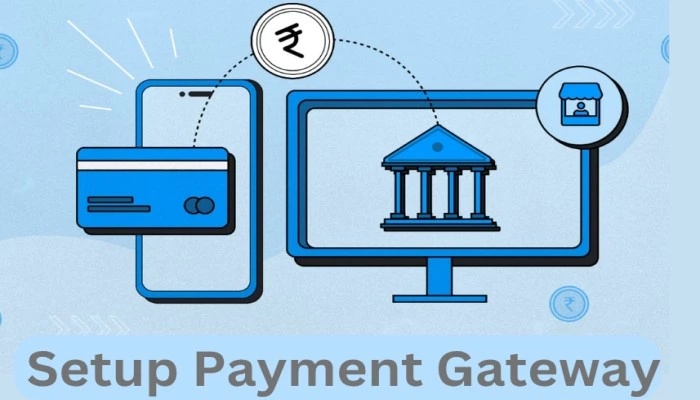
Setting up a payment gateway is one of the most important steps in your e-commerce journey because this is how you actually receive money from customers. A smooth and secure payment system builds trust and increases your chances of getting more orders. In 2026, customers expect fast, safe and multiple payment options like UPI, cards and wallets. Whether you are using Shopify or WooCommerce, integrating a payment gateway is simple but must be done correctly. A good payment setup ensures quick transactions, fewer payment failures and better customer experience. If your payment process is complicated or slow, customers may leave without completing the purchase so always focus on making it easy and reliable.
- Choose a Payment Gateway Provider
- Select a trusted gateway like Razorpay, Paytm or Stripe
- Compare transaction fees and features
- Ensure it supports UPI, cards and net banking
- Create Your Account
- Sign up on the payment gateway website
- Enter business details (name, email, phone)
- Verify your account
- Complete KYC Verification
- Submit required documents like PAN card bank account details business proof (if any)
- Approval usually takes 1 to 3 business days
- Integrate with Your Website
- In Shopify: Go to Settings → Payments and than Enable gateway
- In WooCommerce: Install payment plugin like Razorpay/Stripe and connect using API keys
- Configure Payment Options
- Enable: UPI Debit/Credit Cards, Net Banking and Wallets
- Choose currencies and payment methods
- Test Payment System
- Use test mode to check transactions
- Make a dummy payment
- Ensure everything works smoothly
- Now Go Live
- Switch from test mode to live mode
- Start accepting real payments
- Monitor transactions regularly
Setup Shipping & Delivery
Setting up shipping and delivery is what turns your online orders into real customer satisfaction it’s the final step where your product reaches the buyer. Even if your website looks great and your products are good, poor delivery setup can ruin the entire experience. In 2026, customers expect fast, affordable and trackable delivery so your shipping system must be clear and reliable. Whether you’re using shopify or woocommerce, setting up shipping properly ensures smooth order fulfillment, fewer complaints and better trust. A planned delivery system also helps you manage costs and avoid losses while keeping customers happy.
- Choose Your Shipping Method
- Decide how you will deliver products:
- Self-shipping (local delivery)
- Courier partners (recommended)
- Beginners should use courier services for ease
- Select a Delivery Partner
- Popular options in India: Shiprocket, Delhivery, Ekart
- Compare shipping rates and service quality
- Choose based on your budget and delivery area
- Set Shipping Charges
- Free shipping (attractive for customers)
- Flat rate (same charge for all orders)
- Location-based charges
- You can include shipping cost in product price
- Define Delivery Areas
- Choose where you want to deliver (local, state, or all India)
- Avoid unreachable locations in the beginning
- Expand delivery area gradually
- Set Delivery Time
- Mention expected delivery time (3 to 7 days)
- Be realistic to avoid customer complaints
- Faster delivery give you better trust
- Integrate Shipping with Your Website
- In Shopify: Go to settings and than shipping & delivery
- In WooCommerce: Use shipping plugins or courier integrations
- Enable Order Tracking
- Provide tracking ID to customers
- Builds trust and transparency
- Reduces customer queries
- Setup Return and Refund Policy
- Clearly mention return conditions
- Define refund process
- Builds customer confidence
Promote Your E-commerce Website

Promoting your e-commerce website is the real game-changer method because without traffic, even the best-designed store won’t make sales. In E-commerce field the competition is too high so you need a mix of free and paid strategies to bring visitors and convert them into customers. The goal is to reach the right audience, build trust and guide them toward buying your products. Whether your store is built on shopify or woocommerce, promotion decides your growth speed and revenue. Smart marketing can turn a small store into a profitable business while ignoring it can leave your website invisible.
Use SEO (Search Engine Optimization)
- Optimize product pages with keywords
- Write blog content related to your products
- Rank your website on Google Search for free traffic
- Long-term and powerful strategy
Use Social Media Marketing
- Promote products on Instagram, Facebook and WhatsApp
- Post reels, stories and product demos
- Engage with your audience regularly and build brand awareness
Run Small Paid Ads (Fast Results)
- Use Facebook Ads and Google Ads
- Target specific audience based on interest
- Start with small budget and scale gradually
- Best for quick traffic and sales
Create Video Content
- Show product demos and reviews
- Share videos on YouTube and reels
- Video builds trust and increases sales
Focus on Customer Reviews
- Ask customers to leave reviews
- Positive reviews increase trust
- Helps convert more visitors into buyers